


[15-10-26] UMTv2/UMTPro UltimateMTK2 v3.9 - Motorola Fastboot Advance Method
We are pleased to announce
UMTv2 / UMT Pro
Innovative and Intelligent
UltimateMTK2 v3.9
The Ultimate MediaTek Tool
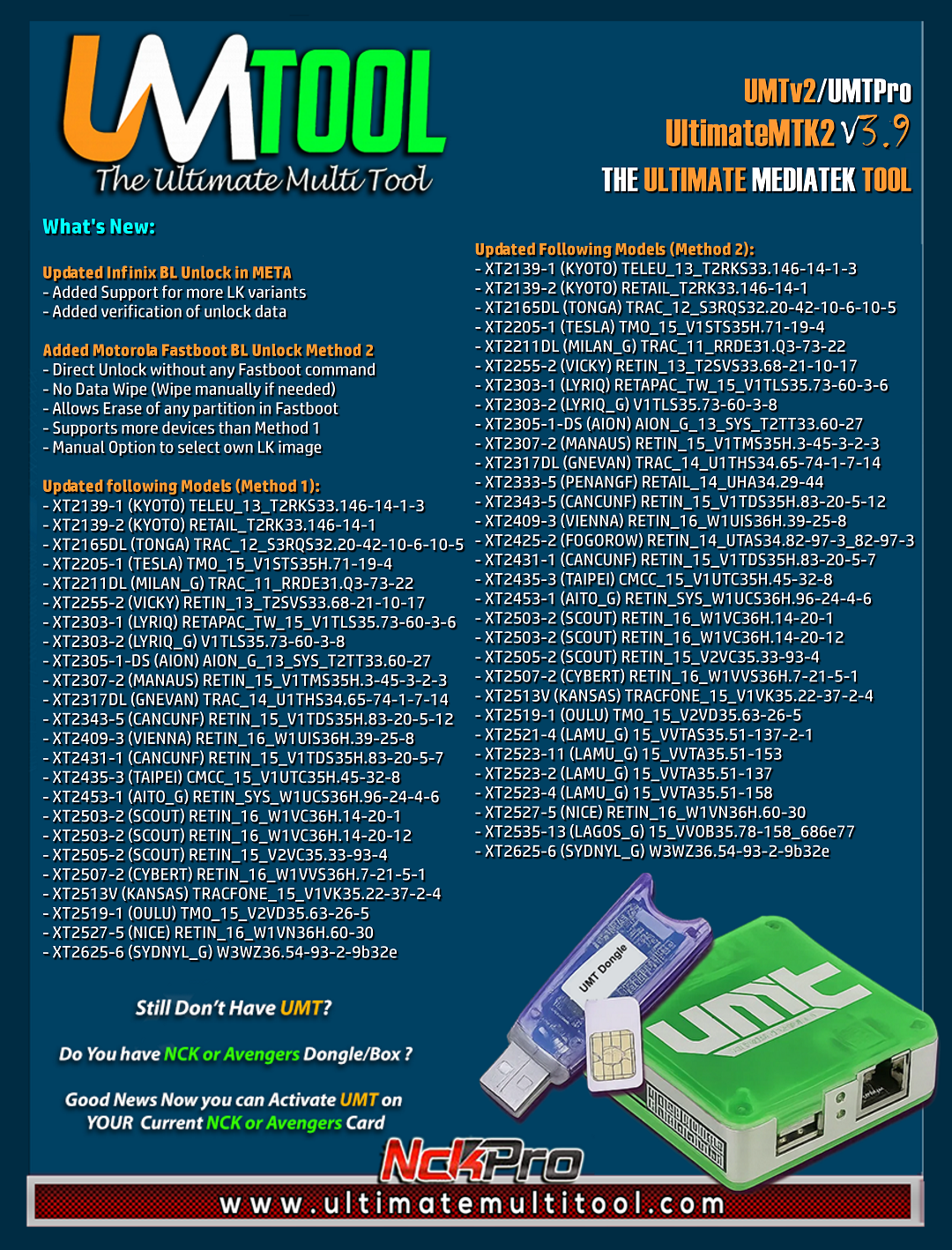
What's New:
Updated Infinix BL Unlock in META
- Added Support for more LK variants
- Added verification of unlock data
Added Motorola Fastboot BL Unlock Method 2
- Direct Unlock without any Fastboot command
- No Data Wipe (Wipe manually if needed)
- Allows Erase of any partition in Fastboot
- Supports more devices than Method 1
- Manual Option to select own LK image
Updated following Models (Method 1):
- XT2139-1 (KYOTO) TELEU_13_T2RKS33.146-14-1-3
- XT2139-2 (KYOTO) RETAIL_T2RK33.146-14-1
- XT2165DL (TONGA) TRAC_12_S3RQS32.20-42-10-6-10-5
- XT2205-1 (TESLA) TMO_15_V1STS35H.71-19-4
- XT2211DL (MILAN_G) TRAC_11_RRDE31.Q3-73-22
- XT2255-2 (VICKY) RETIN_13_T2SVS33.68-21-10-17
- XT2303-1 (LYRIQ) RETAPAC_TW_15_V1TLS35.73-60-3-6
- XT2303-2 (LYRIQ_G) V1TLS35.73-60-3-8
- XT2305-1-DS (AION) AION_G_13_SYS_T2TT33.60-27
- XT2307-2 (MANAUS) RETIN_15_V1TMS35H.3-45-3-2-3
- XT2317DL (GNEVAN) TRAC_14_U1THS34.65-74-1-7-14
- XT2343-5 (CANCUNF) RETIN_15_V1TDS35H.83-20-5-12
- XT2409-3 (VIENNA) RETIN_16_W1UIS36H.39-25-8
- XT2431-1 (CANCUNF) RETIN_15_V1TDS35H.83-20-5-7
- XT2435-3 (TAIPEI) CMCC_15_V1UTC35H.45-32-8
- XT2453-1 (AITO_G) RETIN_SYS_W1UCS36H.96-24-4-6
- XT2503-2 (SCOUT) RETIN_16_W1VC36H.14-20-1
- XT2503-2 (SCOUT) RETIN_16_W1VC36H.14-20-12
- XT2505-2 (SCOUT) RETIN_15_V2VC35.33-93-4
- XT2507-2 (CYBERT) RETIN_16_W1VVS36H.7-21-5-1
- XT2513V (KANSAS) TRACFONE_15_V1VK35.22-37-2-4
- XT2519-1 (OULU) TMO_15_V2VD35.63-26-5
- XT2527-5 (NICE) RETIN_16_W1VN36H.60-30
- XT2625-6 (SYDNYL_G) W3WZ36.54-93-2-9b32e
Updated Following Models (Method 2):
- XT2139-1 (KYOTO) TELEU_13_T2RKS33.146-14-1-3
- XT2139-2 (KYOTO) RETAIL_T2RK33.146-14-1
- XT2165DL (TONGA) TRAC_12_S3RQS32.20-42-10-6-10-5
- XT2205-1 (TESLA) TMO_15_V1STS35H.71-19-4
- XT2211DL (MILAN_G) TRAC_11_RRDE31.Q3-73-22
- XT2255-2 (VICKY) RETIN_13_T2SVS33.68-21-10-17
- XT2303-1 (LYRIQ) RETAPAC_TW_15_V1TLS35.73-60-3-6
- XT2303-2 (LYRIQ_G) V1TLS35.73-60-3-8
- XT2305-1-DS (AION) AION_G_13_SYS_T2TT33.60-27
- XT2307-2 (MANAUS) RETIN_15_V1TMS35H.3-45-3-2-3
- XT2317DL (GNEVAN) TRAC_14_U1THS34.65-74-1-7-14
- XT2333-5 (PENANGF) RETAIL_14_UHA34.29-44
- XT2343-5 (CANCUNF) RETIN_15_V1TDS35H.83-20-5-12
- XT2409-3 (VIENNA) RETIN_16_W1UIS36H.39-25-8
- XT2425-2 (FOGOROW) RETIN_14_UTAS34.82-97-3_82-97-3
- XT2431-1 (CANCUNF) RETIN_15_V1TDS35H.83-20-5-7
- XT2435-3 (TAIPEI) CMCC_15_V1UTC35H.45-32-8
- XT2453-1 (AITO_G) RETIN_SYS_W1UCS36H.96-24-4-6
- XT2503-2 (SCOUT) RETIN_16_W1VC36H.14-20-1
- XT2503-2 (SCOUT) RETIN_16_W1VC36H.14-20-12
- XT2505-2 (SCOUT) RETIN_15_V2VC35.33-93-4
- XT2507-2 (CYBERT) RETIN_16_W1VVS36H.7-21-5-1
- XT2513V (KANSAS) TRACFONE_15_V1VK35.22-37-2-4
- XT2519-1 (OULU) TMO_15_V2VD35.63-26-5
- XT2521-4 (LAMU_G) 15_VVTAS35.51-137-2-1
- XT2523-11 (LAMU_G) 15_VVTA35.51-153
- XT2523-2 (LAMU_G) 15_VVTA35.51-137
- XT2523-4 (LAMU_G) 15_VVTA35.51-158
- XT2527-5 (NICE) RETIN_16_W1VN36H.60-30
- XT2535-13 (LAGOS_G) 15_VVOB35.78-158_686e77
- XT2625-6 (SYDNYL_G) W3WZ36.54-93-2-9b32e
Special thanks to
- Asad Software
- Shensohau
and all our users who helped us with their test reports.
Important Notes:
- You can flash device with both BROM and Preloader mode
- If default DA does not work, use own DA in custom DA
- Force BROM may not work on new security, use Test Point instead
- When using Test Point, you must select Preloader in PL (not needed when flashing)
- If you need to connect device in Preloader mode, you must select PRELOADER in connection settings, otherwise software will try to Crash Preloader (may not work on new security devices)
Note : Some features are device/OS specific and may not work on all devices.
Please use UMT Card Manager to Update Card Counter / Firmware / Activate Add-on, available via Support Access.
It Has Begun...
Keep Following Us...
Some Nice Updates Are On The Way...
SPECIAL THANKS TO OUR VALUABLE USERS FOR THEIR LOVE AND SUPPORT FOR MORE THAN 11 YEARS
WARNING :
ESN / MEID / IMEI REPAIR IS INTENDED TO REPAIR ESN / MEID / IMEI TO ORIGINAL ONE WRITTEN ON PHONE BACK LABEL / BOX. WE DO NOT ENDORSE OR ENCOURAGE ESN / MEID / IMEI CHANGING. ITS ILLEGAL. USER IS SOLE RESPONSIBLE FOR ANY ILLEGAL ACTIVITY DONE WITH USE OF FEATURES PROVIDED IN OUR SOFTWARE, NOT LIMITED TO ESN / MEID / IMEI.
ANY USER USING OUR SOFTWARE FOR ILLEGAL PURPOSE WILL BE SOLE RESPONSIBLE FOR HIS ACTS.
WE PROHIBIT USE OF OUR SOFTWARE FOR ANY ILLEGAL PURPOSE.
How to Download:
- Download UMT Support Access.
- Connect UMT Box/Dongle to PC and Run UMT Support Access.
- Download required Executable from Installer folder.
- Enjoy!
- Download Mirrors
PLEASE DO NOT POST OFF TOPIC HERE. ONLY POST REGARDING THIS UPDATE AND SUPPORTED MODELS. ANY OFF TOPIC POST WILL BE DELETED
Telegram
Br,
UMT
UMTv2 / UMT Pro
Innovative and Intelligent
UltimateMTK2 v3.9
The Ultimate MediaTek Tool
What's New:
Updated Infinix BL Unlock in META
- Added Support for more LK variants
- Added verification of unlock data
Added Motorola Fastboot BL Unlock Method 2
- Direct Unlock without any Fastboot command
- No Data Wipe (Wipe manually if needed)
- Allows Erase of any partition in Fastboot
- Supports more devices than Method 1
- Manual Option to select own LK image
Updated following Models (Method 1):
- XT2139-1 (KYOTO) TELEU_13_T2RKS33.146-14-1-3
- XT2139-2 (KYOTO) RETAIL_T2RK33.146-14-1
- XT2165DL (TONGA) TRAC_12_S3RQS32.20-42-10-6-10-5
- XT2205-1 (TESLA) TMO_15_V1STS35H.71-19-4
- XT2211DL (MILAN_G) TRAC_11_RRDE31.Q3-73-22
- XT2255-2 (VICKY) RETIN_13_T2SVS33.68-21-10-17
- XT2303-1 (LYRIQ) RETAPAC_TW_15_V1TLS35.73-60-3-6
- XT2303-2 (LYRIQ_G) V1TLS35.73-60-3-8
- XT2305-1-DS (AION) AION_G_13_SYS_T2TT33.60-27
- XT2307-2 (MANAUS) RETIN_15_V1TMS35H.3-45-3-2-3
- XT2317DL (GNEVAN) TRAC_14_U1THS34.65-74-1-7-14
- XT2343-5 (CANCUNF) RETIN_15_V1TDS35H.83-20-5-12
- XT2409-3 (VIENNA) RETIN_16_W1UIS36H.39-25-8
- XT2431-1 (CANCUNF) RETIN_15_V1TDS35H.83-20-5-7
- XT2435-3 (TAIPEI) CMCC_15_V1UTC35H.45-32-8
- XT2453-1 (AITO_G) RETIN_SYS_W1UCS36H.96-24-4-6
- XT2503-2 (SCOUT) RETIN_16_W1VC36H.14-20-1
- XT2503-2 (SCOUT) RETIN_16_W1VC36H.14-20-12
- XT2505-2 (SCOUT) RETIN_15_V2VC35.33-93-4
- XT2507-2 (CYBERT) RETIN_16_W1VVS36H.7-21-5-1
- XT2513V (KANSAS) TRACFONE_15_V1VK35.22-37-2-4
- XT2519-1 (OULU) TMO_15_V2VD35.63-26-5
- XT2527-5 (NICE) RETIN_16_W1VN36H.60-30
- XT2625-6 (SYDNYL_G) W3WZ36.54-93-2-9b32e
Updated Following Models (Method 2):
- XT2139-1 (KYOTO) TELEU_13_T2RKS33.146-14-1-3
- XT2139-2 (KYOTO) RETAIL_T2RK33.146-14-1
- XT2165DL (TONGA) TRAC_12_S3RQS32.20-42-10-6-10-5
- XT2205-1 (TESLA) TMO_15_V1STS35H.71-19-4
- XT2211DL (MILAN_G) TRAC_11_RRDE31.Q3-73-22
- XT2255-2 (VICKY) RETIN_13_T2SVS33.68-21-10-17
- XT2303-1 (LYRIQ) RETAPAC_TW_15_V1TLS35.73-60-3-6
- XT2303-2 (LYRIQ_G) V1TLS35.73-60-3-8
- XT2305-1-DS (AION) AION_G_13_SYS_T2TT33.60-27
- XT2307-2 (MANAUS) RETIN_15_V1TMS35H.3-45-3-2-3
- XT2317DL (GNEVAN) TRAC_14_U1THS34.65-74-1-7-14
- XT2333-5 (PENANGF) RETAIL_14_UHA34.29-44
- XT2343-5 (CANCUNF) RETIN_15_V1TDS35H.83-20-5-12
- XT2409-3 (VIENNA) RETIN_16_W1UIS36H.39-25-8
- XT2425-2 (FOGOROW) RETIN_14_UTAS34.82-97-3_82-97-3
- XT2431-1 (CANCUNF) RETIN_15_V1TDS35H.83-20-5-7
- XT2435-3 (TAIPEI) CMCC_15_V1UTC35H.45-32-8
- XT2453-1 (AITO_G) RETIN_SYS_W1UCS36H.96-24-4-6
- XT2503-2 (SCOUT) RETIN_16_W1VC36H.14-20-1
- XT2503-2 (SCOUT) RETIN_16_W1VC36H.14-20-12
- XT2505-2 (SCOUT) RETIN_15_V2VC35.33-93-4
- XT2507-2 (CYBERT) RETIN_16_W1VVS36H.7-21-5-1
- XT2513V (KANSAS) TRACFONE_15_V1VK35.22-37-2-4
- XT2519-1 (OULU) TMO_15_V2VD35.63-26-5
- XT2521-4 (LAMU_G) 15_VVTAS35.51-137-2-1
- XT2523-11 (LAMU_G) 15_VVTA35.51-153
- XT2523-2 (LAMU_G) 15_VVTA35.51-137
- XT2523-4 (LAMU_G) 15_VVTA35.51-158
- XT2527-5 (NICE) RETIN_16_W1VN36H.60-30
- XT2535-13 (LAGOS_G) 15_VVOB35.78-158_686e77
- XT2625-6 (SYDNYL_G) W3WZ36.54-93-2-9b32e
Special thanks to
- Asad Software
- Shensohau
and all our users who helped us with their test reports.
Important Notes:
- You can flash device with both BROM and Preloader mode
- If default DA does not work, use own DA in custom DA
- Force BROM may not work on new security, use Test Point instead
- When using Test Point, you must select Preloader in PL (not needed when flashing)
- If you need to connect device in Preloader mode, you must select PRELOADER in connection settings, otherwise software will try to Crash Preloader (may not work on new security devices)
Note : Some features are device/OS specific and may not work on all devices.
Please use UMT Card Manager to Update Card Counter / Firmware / Activate Add-on, available via Support Access.
It Has Begun...
Keep Following Us...
Some Nice Updates Are On The Way...
SPECIAL THANKS TO OUR VALUABLE USERS FOR THEIR LOVE AND SUPPORT FOR MORE THAN 11 YEARS
WARNING :
ESN / MEID / IMEI REPAIR IS INTENDED TO REPAIR ESN / MEID / IMEI TO ORIGINAL ONE WRITTEN ON PHONE BACK LABEL / BOX. WE DO NOT ENDORSE OR ENCOURAGE ESN / MEID / IMEI CHANGING. ITS ILLEGAL. USER IS SOLE RESPONSIBLE FOR ANY ILLEGAL ACTIVITY DONE WITH USE OF FEATURES PROVIDED IN OUR SOFTWARE, NOT LIMITED TO ESN / MEID / IMEI.
ANY USER USING OUR SOFTWARE FOR ILLEGAL PURPOSE WILL BE SOLE RESPONSIBLE FOR HIS ACTS.
WE PROHIBIT USE OF OUR SOFTWARE FOR ANY ILLEGAL PURPOSE.
How to Download:
- Download UMT Support Access.
- Connect UMT Box/Dongle to PC and Run UMT Support Access.
- Download required Executable from Installer folder.
- Enjoy!
- Download Mirrors
PLEASE DO NOT POST OFF TOPIC HERE. ONLY POST REGARDING THIS UPDATE AND SUPPORTED MODELS. ANY OFF TOPIC POST WILL BE DELETED
Telegram
Br,
UMT